25 Nov 2022 · 4 min read
Kecil, part 6 - connecting the frontend to the database
The shorten form gets an action and a method and starts writing rows:
<form class="form-inline" action="/api/link/add" method="POST">
  <input type="text" name="source_id" placeholder="Source ID">
  <input type="url" name="target_url" placeholder="Target URL">
  <button type="submit">Shorten it!</button>
</form>
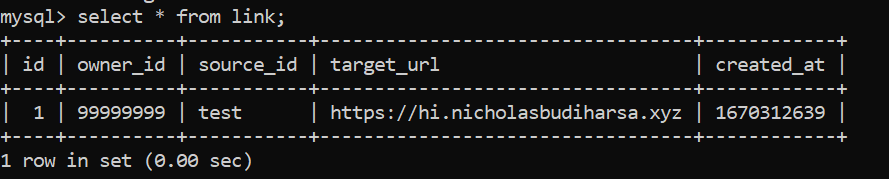
Submit it and the record shows up in MySQL. That is the first moment the thing feels like software rather than a screenshot.
The suggest button
The yellow lightning button calls /api/link/random and drops the returned slug straight into the source field, so a user who does not care about the vanity part never has to invent one.
The dashboard table is then rendered from getXbyY on owner_id, with a delete button per row posting back to the API.