03 Feb 2023 · 4 min read
Kecil, part 10 - domain and HTTPS
Point Nginx at the domain
sudo nano /etc/nginx/sites-available/defaultFind server_name and replace the underscore with the real hostname, then reload:
server {
  ...
  server_name kecil.nicholasbudiharsa.xyz;
  ...
}
sudo systemctl restart nginxDNS
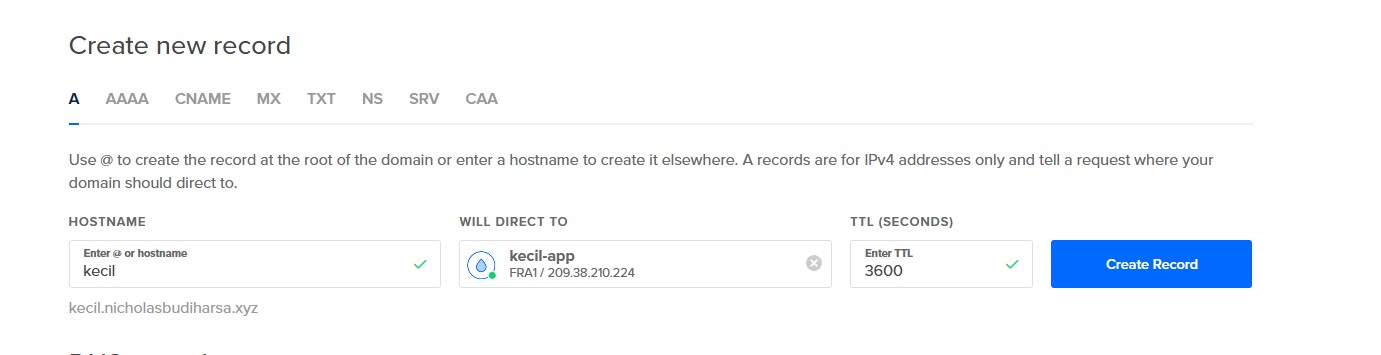
One A record pointing the hostname at the droplet's IP. Mine was managed in Digital Ocean alongside the server. Once it propagates the app answers on the domain over plain HTTP.
Certificate
sudo snap install core; sudo snap refresh core
sudo apt remove certbot
sudo snap install --classic certbot
sudo ln -s /snap/bin/certbot /usr/bin/certbot
Open 443 and close the HTTP-only rule:
sudo ufw allow 'Nginx Full'
sudo ufw delete allow 'Nginx HTTP'
sudo certbot --nginx -d kecil.nicholasbudiharsa.xyzCertbot rewrites the Nginx block itself, adds the redirect from 80 to 443, and installs a renewal timer. That is the series done: an empty folder in October, a link shortener on its own domain over TLS in February.