22 Oct 2022 · 3 min read
Kecil, part 1 - project set-up
What you need installed
- Node.js and npm
- MySQL Server
- A code editor - VS Code is fine
Check the runtime before writing anything:
node -v && npm -vThen initialise the project. Every Node app starts the same way, in an empty folder:
npm init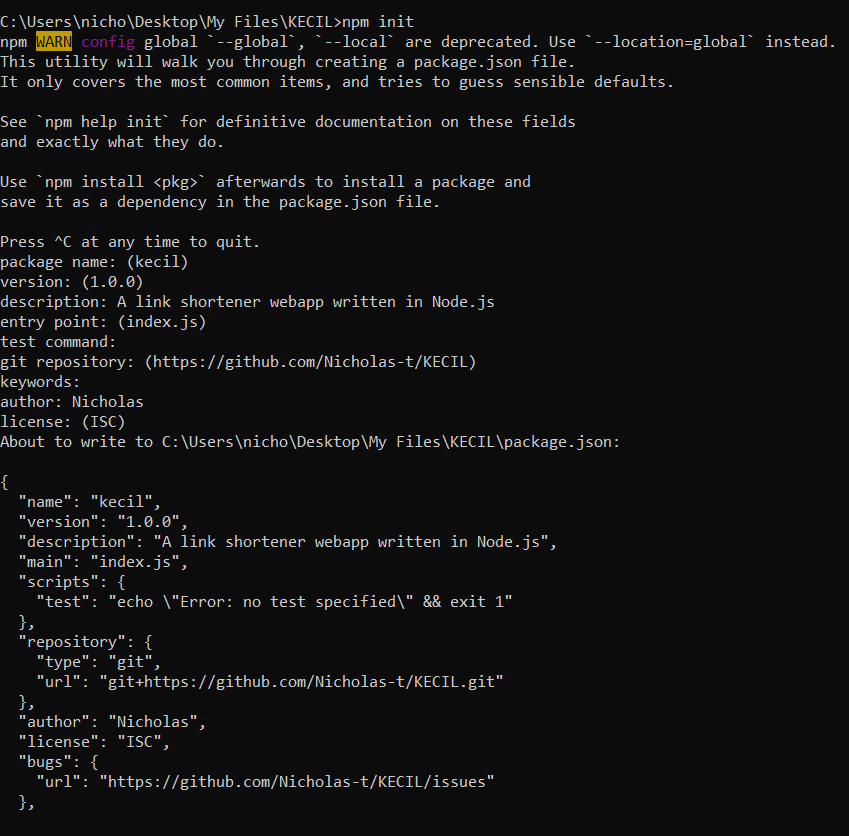
It asks a handful of questions. For a personal project the answers barely matter - what matters is the package.json it leaves behind, which is where dependencies get tracked from here on.
That is the whole of part 1: one folder, one file. Set-up is boring on purpose, so the interesting parts do not have to fight the environment.