10 Aug 2022 · 9 min read
Gotta scrape them all: three methods of data scraping
Whether you're on a sales team, an engineering team, or writing a thesis, at some point you will want data that exists on a website and nowhere else. This post covers the three methods I reach for, roughly in order of how much control they give you versus how much work they cost.
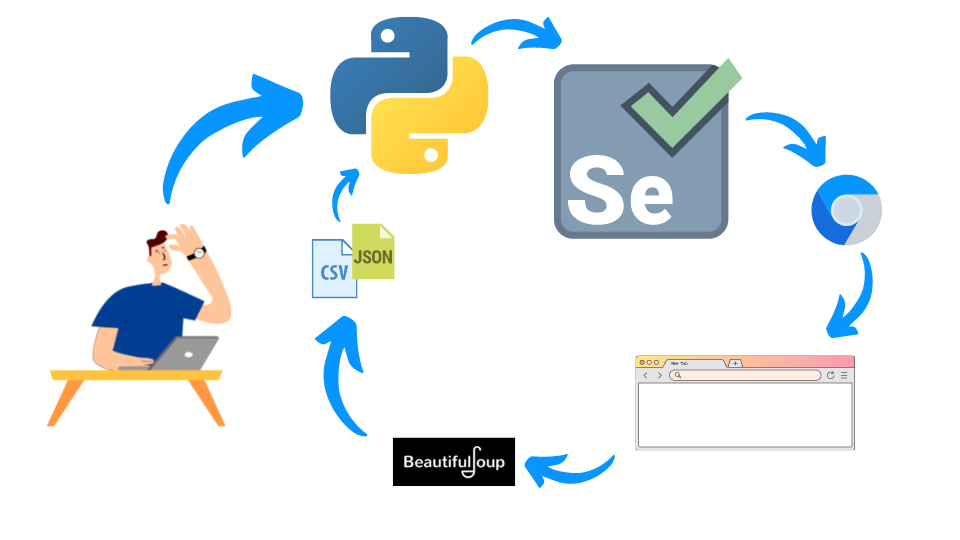
Method 1 - Python, Selenium and BeautifulSoup
The most reliable of the three, because you get full control: you can pause on conditions, handle pagination, and log in behind a gate. Python is the brain, a Selenium webdriver is a browser it can drive, and BeautifulSoup parses the HTML that comes back.
import pandas as pd
from bs4 import BeautifulSoup
from selenium import webdriver
import time

driver.get("https://pokemondb.net/pokedex/all")
time.sleep(3)
soup = BeautifulSoup(driver.page_source)

headings = [h.getText().strip() for h in soup.select("#pokedex thead tr th")]
data = []
for row in soup.select("#pokedex tbody tr"):
    entry = {}
    for i, col in enumerate(row.select("td")):
        entry[headings[i]] = col.getText().strip()
    data.append(entry)

pd.DataFrame.from_records(data).to_csv("./pokemon.csv", index=False)
Because you control the driver, you can take it a step further and follow every row's detail link to pull the fields that only exist on the individual page. Write to disk after each record so a crash halfway through doesn't cost you the whole run.
Method 2 - on-page JavaScript
If the data is already rendered in the HTML you're looking at, you don't need a scraper at all. Open the developer console and extract it with a few lines of JavaScript into JSON. No environment, no dependencies, no driver version mismatch. It's the fastest possible path for a one-off table.
[...document.querySelectorAll("#pokedex tbody tr")].map(tr => {
  const td = tr.querySelectorAll("td");
  return {
    name: td[1].innerText.trim(),
    type: td[2].innerText.trim(),
    total: td[3].innerText.trim(),
  };
});
Method 3 - reverse-engineer the API
The best method when it's available. Most modern sites render from a JSON API their own front end calls. Open the network tab, filter to XHR, find the request that returns the data, and replicate it. You skip HTML parsing entirely, you get clean structured data, and it's dramatically faster and more stable than driving a browser.


Check the auth scheme before you get excited - a basic token or a session cookie is easy to replay, a short-lived signed token is a different problem. And be reasonable: respect rate limits, respect terms of service, and don't hammer someone's infrastructure because you can.